


LogicLike: ABC & Math for Kids
4.6336.00 Reviews
App Specs
- Version
- 3.1.0
- Updated On
- License
- Free
- Downloads
- 10,000,000+
- Developer
- Massiana - Educational Games
- Categories
- Educational
- Platform
- Android, iOS
Screenshots

 Analysis by AppCompare
If you’ve ever tried to get your kids excited about learning, you know it can sometimes feel like a Herculean task. Enter LogicLike: ABC & Math for Kids, an app that’s making learning as fun as a game of tag. I gave this app a whirl, and I must say, it’s like having a teacher, a game designer, and a comedian all rolled into one neat package. Let’s dive into what makes this app a must-have for parents and educators alike.
Engaging and Interactive Learning Experience
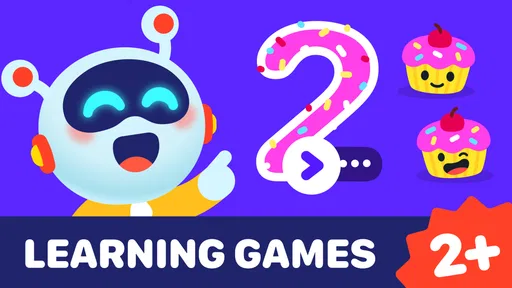
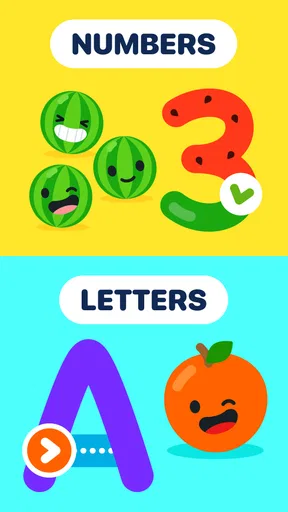
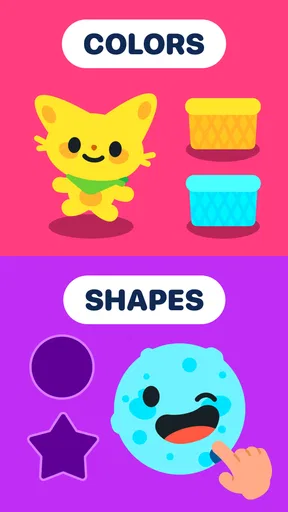
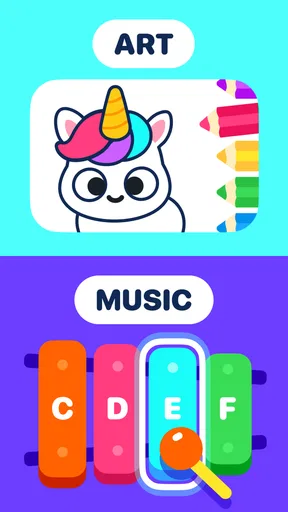
What struck me first about LogicLike: ABC & Math for Kids is its vibrant interface. The colors pop, the animations are smooth, and it’s designed in a way that’s intuitive for kids to navigate. It’s like stepping into a digital playground where learning and fun coexist. The app covers a broad spectrum of topics, from basic arithmetic to logical puzzles, ensuring that there’s something for every kid.
The games are cleverly designed to adapt to your child’s level. What I love is how the app doesn’t just throw problems at kids; it guides them, offering hints when needed. It’s like having a patient teacher who’s always there to help. Plus, the feedback is immediate, which keeps kids motivated and eager to learn more.
Content Variety and Educational Value
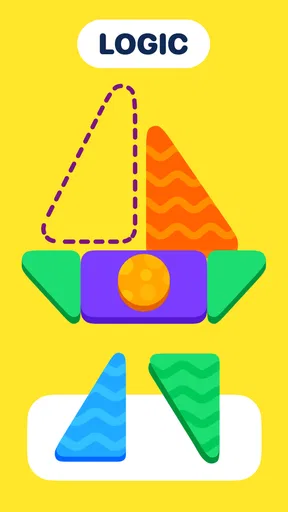
This app isn’t just about numbers and letters. It has a range of educational games that include memory challenges, attention-building exercises, and creative tasks. My personal favorite is the logic puzzles section. They are designed to make kids think outside the box and develop critical thinking skills. Trust me, even I found myself scratching my head at some of the harder levels!
The app also includes a lovely little feature where kids can track their progress. This not only boosts their confidence but also allows parents to see how their child is progressing over time. It’s like having a report card that celebrates every small victory.
User-Friendly and Safe Environment
As a parent, safety is always at the forefront of my mind when it comes to apps. I was relieved to find that the app is completely ad-free. That means no pesky pop-ups or ads trying to sell things to my child. It’s a focused and safe learning environment, which is a huge relief.
The app also has built-in settings that let parents customize the experience. You can adjust the difficulty level, set time limits, and even decide which types of games your child can access. It’s like having a personalized learning assistant right at your fingertips.
Worth Reading Before You Choose

Baby Panda World Brings Quick Play to Modern Phones, but Its Game Library Feels Busy

ESPN’s Live Game View Makes Following Close Games Easier

QuizzLand Review: A Good Fit for Short Trivia Breaks, Not Every Player

Basketball Stars: Multiplayer Is Fast, but Can It Recover When Matches Go Wrong?

WEBTOON Turns Phone Updates Into a Better Reading Routine

Link to Windows Runs on Shared Habits, Not Social Feeds
Accessibility and Support
Another feature worth mentioning is the app’s accessibility. It’s available on both Android and iOS, meaning you can have it handy on your phone or tablet. The download and installation process is a breeze, and the app doesn’t take up too much space, which is a win-win in my book.
If you ever run into any issues, the app has a responsive support team. I had a minor query, and they got back to me in no time. It’s reassuring to know that help is just an email away.
How It Fits into a Family’s Day
I find the most useful way to bring this kind of learning game into a child’s routine is to treat it as a short, purposeful activity rather than a substitute for books, conversation, or hands-on play. A parent might offer a few puzzles while preparing dinner, then ask the child to explain how they solved one. That small follow-up turns tapping through a challenge into a chance to practice describing a pattern or a choice.
It can also work as a calmer alternative to open-ended videos when a child needs a brief activity during a wait or a quiet moment at home. The key is to keep the session bounded and stay nearby, especially for younger children who may need help understanding instructions or moving between activities. Parent controls can help shape the experience, but they do not replace an adult’s judgment about when a screen break is due.
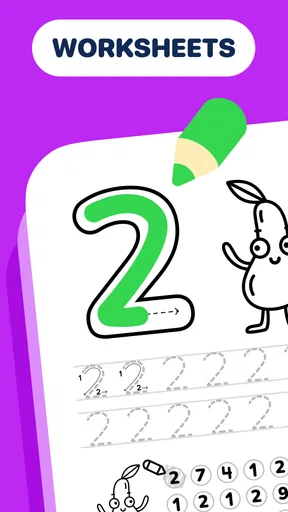
For children who enjoy switching between different kinds of tasks, the mix of letters, numbers, and logic exercises may make practice feel less repetitive than a single-purpose alphabet or arithmetic app. I would use that variety to follow a child’s interest: if a number exercise is frustrating, changing to a puzzle can preserve a positive mood without pretending the child has mastered the original skill. Later, you can return to the harder material when attention is fresher.
Choosing It Over Other Learning Activities
Compared with a stack of workbooks, a game can offer a more immediate response and make it easier for a child to try again after a mistake. Compared with a video lesson, interactive puzzles ask the child to make choices rather than simply watch. That is the category’s main appeal here: it gives early learning a playful structure, with more variety than a drill-only tool and more active participation than passive screen entertainment.
There is a trade-off. A screen-based activity cannot replace drawing letters on paper, counting real objects, or talking through a problem together. Those activities develop habits and physical skills that a phone or tablet does not provide. I would see the game as a supplement for practice and curiosity, not as a complete preschool curriculum or a measure of school readiness.
It may be less suitable for a child who is easily overstimulated by bright visuals and animation, or one who already resists screens being stopped. In that case, a physical puzzle, a read-aloud, or a simple counting game with household objects may be a better fit. Likewise, families looking for a tightly structured course focused only on phonics or arithmetic may prefer a specialist resource instead of a broader collection of activities.
Practical Trade-Offs for Parents
One detail I would keep in mind is that the game is free to download, but it offers optional in-app purchases. Its listed purchase range runs from $1.99 to $199.99 per item, so I would check the purchase controls on the device before handing it to a child. That is a sensible precaution for any children’s app with paid items, even when the main attraction is learning rather than shopping.
The game is made by Massiana - Educational Games and is rated for Everyone. It has a 4.5 average from around 68,000 ratings and has passed 10 million installs, which suggests that many families have tried it; those figures do not tell me whether its style will suit a particular child. It was released on June 16, 2021, and version 2.107.0 requires Android 7.0 or later. If you are choosing a device for a child, checking that operating-system requirement first can save an unnecessary download attempt.
Parents may also wonder whether it is better for independent play or for sitting together. I think it can serve both purposes, but in different ways: a child who already understands how to navigate the activities may manage a short session alone, while a younger learner can benefit from an adult nearby to read prompts, celebrate effort, and connect a puzzle to something in the room. The latter often makes the activity feel more educational without turning it into a test.
Another useful habit is to ask what the child noticed, rather than asking only whether they got an answer right. “What changed in that puzzle?” or “How did you know which letter to choose?” invites them to explain their thinking. This works particularly well with logic activities, where the reasoning can matter as much as the final selection. If a child cannot explain yet, that is not a failure; it is a cue to play alongside them or take a break.
Final Thoughts
In a world where screen time is often viewed with skepticism, the game turns it into something genuinely beneficial. It’s engaging, educational, and endlessly entertaining. Whether you’re a parent looking to give your child a head start or a teacher wanting to supplement classroom learning, this app is a fantastic tool.
In summary, it manages to strike the perfect balance between learning and fun. It’s a delightful way for kids to improve their skills without even realizing they’re doing so. And that, in my opinion, is the hallmark of an excellent educational app.
Pros
- Engaging puzzles enhance cognitive skills.
- Colorful interface attracts young learners.
- Adaptive difficulty suits varying skill levels.
- Voice guidance aids in independent learning.
- Offline mode available for uninterrupted play.
Cons
- Limited free content before subscription.
- In-app purchases may be distracting.
- Requires consistent updates for new content.
- Some puzzles may repeat frequently.
- Not all content is suitable for all ages.
FAQs for LogicLike: ABC & Math for Kids
What age group is LogicLike: ABC & Math for kids suitable for?
LogicLike is designed for children aged 4 to 10 years. The app offers age-appropriate puzzles, games, and challenges that help enhance critical thinking, mathematical skills, and language abilities. It’s tailored to grow with your child, providing more complex tasks as they progress.
Does LogicLike require an internet connection to function?
LogicLike can be used offline once downloaded, which is perfect for on-the-go learning. However, to access updates, additional content, or to sync progress across devices, an internet connection is necessary. This flexibility allows uninterrupted learning whether at home or traveling.
Are there any in-app purchases or subscriptions in LogicLike?
Yes, LogicLike offers in-app purchases and subscription plans to unlock additional content and features. While the app provides a range of free puzzles and games, subscribing gives access to a broader selection of educational materials, ensuring a richer learning experience for your child.
How does LogicLike ensure the safety of my child while using the app?
LogicLike is designed with child safety in mind. It has no ads that could lead to external sites, ensuring a distraction-free environment. Parental controls are available to monitor usage, and the app complies with COPPA and GDPR regulations to protect children's privacy.
Can parents track their child's progress on LogicLike?
Yes, LogicLike includes a parent dashboard that allows monitoring of a child's progress. Parents can view completed tasks, strengths, and areas needing improvement. This feature helps parents stay engaged and support their child's educational journey effectively.


